


This Switch Belongs on the Spur. Not in the Main UPS Room.
October 15, 2026
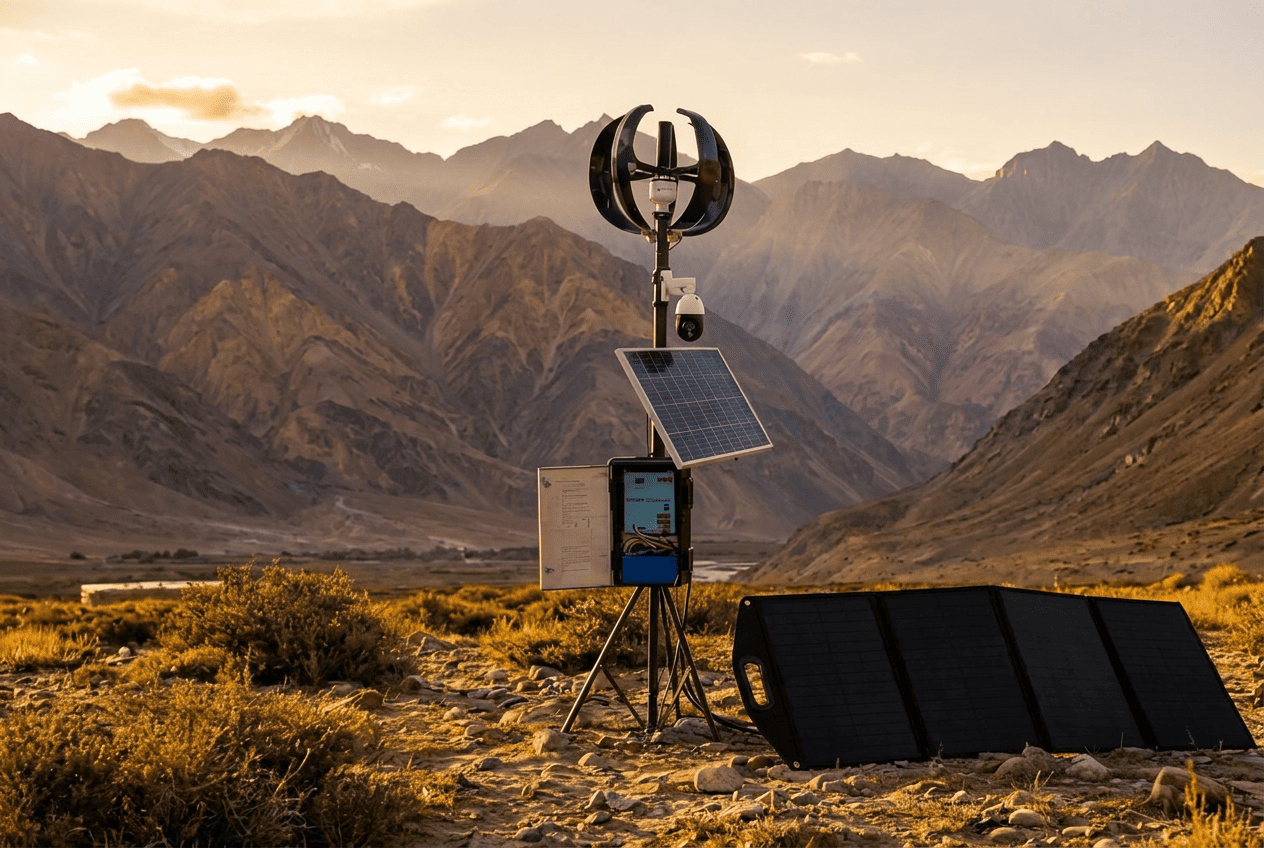
If you run cameras, radios or links at the far end of a site, you know the problem. The plant has clean power. The pole at the perimeter does not. So where should a Hybrid Power Network Switch actually be installed?
This guide gives you a clear placement rule, the reasons behind it, a checklist for the install spot, and an honest answer to a common follow-up: can it replace the generator on a camera pole or a tower?
What "the Spur" Means
In this blog, a spur is any branch that runs out from your main network to a remote point. Think of:
- A camera pole on the perimeter wall or fence line
- A gate, a boundary corner or a watch point
- A highway, expressway or tunnel camera location
- A small telecom or radio site with a P2P link
- A remote cabinet, godown, farmhouse or yard
These are edge sites. Mains power is weak, far away or missing. Running AC cable to every one of them is costly, and a generator at each one is a headache. That is the job a Hybrid Power Network Switch is built for.
What Is a Hybrid Power System for a Remote Site?
A hybrid power system for a remote site uses more than one source of power, and one controller that chooses between them. At an edge site, that usually means solar, wind and a battery, all feeding the network equipment through a single box.
You get three benefits:
- No dependence on the grid. The site can run where the grid cannot reach.
- Power and network in one place. The same box powers the devices and switches their data.
- A backup when one source is weak. If sun is low, another source or the battery carries the load.
What the Rasnal Hybrid Power Network Switch Does
According to Rasnal's product page, the switch is made for charging and powering radios, PTZ cameras, IP cameras, NVR/DVR units, P2P links and batteries. It has three power inputs: solar panel, wind turbine (the page calls it a wind mill) and battery. You can program all three, and you can set their priority. The default order on the page is solar first, wind second and battery third. The switch then selects the best available source on its own.
Rasnal's page also lists a 165 W solar panel and a 300 W wind turbine that go with the system. Ask the team what suits your site.
The Placement Rule: Edge Site, Not the UPS Room
Here is the rule in one line: put the switch where the power problem is, not where the power is already solved.
Why not the UPS room? Four reasons come straight from the product's design:
- It takes DC input. The listed input is DC 12–58 V from solar, wind and battery. A UPS room runs on AC mains behind a UPS.
- The power budget is small. It has four PoE ports and a PoE budget under 125 W. A plant UPS room carries far bigger loads.
- It is built for the outdoors. The IP66 enclosure, pole mounting and -30°C to +60°C range are made for exposed spots, not for a cool, locked room.
- The room has already solved power. A UPS room has its own conditioned supply. This box adds value only where that supply does not reach.
Put simply, a switch in the UPS room would sit idle. The same switch on the spur does the job nothing else there can do.
Where to Install It at an Edge Site
Once you know it belongs at the edge, use this checklist to pick the exact spot.
- Mount it close to the devices it powers. Pole, wall or cabinet right beside the camera, radio or link. The copper PoE ports use standard Ethernet cable, so keep each run within the usual 100 m limit.
- Use the SFP ports for the way back. The two 1000 Base-X ports are meant for the uplink to the rest of your network.
- Give the solar panel a clear view of the sun. Avoid shade from trees, walls and the pole itself.
- Give the wind turbine open air. The page lists a start-up wind speed of 2 m/s and a rated wind speed of 14 m/s. Turbines need clear wind, so avoid sheltered corners.
- Use the lock. The box offers physical and mechanical lock options, which helps at unattended sites.
- Rely on the built-in digital earthing. Rasnal states that no external earthing is required. For lines that leave the box, such as coax or Ethernet runs, you can add coaxial surge protectors and an RJ-45 surge protector for PoE.
- Send Rasnal a photo and a device list. The exact panel, turbine and battery size depends on your load.
A Note on "Solar Battery Grid Switch" Searches
Many people search for a "solar battery grid switch". They usually mean a box that chooses between solar, battery and the grid, which is the kind of device that lives in a main electrical room.
Rasnal's Hybrid Power Network Switch is a different tool. Its three power inputs on the product page are solar, wind and battery. It is made for sites where the grid is weak or not there at all. If your problem is switching between grid, solar and a generator inside a building, that is a different job in a different room. If your problem is powering a camera or radio at a remote point, you are in the right place.
Can It Replace the Generator on a Camera Pole or Tower?
This is the follow-up question most buyers ask. The honest answer: it depends on the load.
On a camera pole: often yes. Rasnal's Smart Solar Network page says its solar-powered system can run without an external AC connection in typical off-grid deployments. If your cameras, PTZ units and radios fit within the box's limits, you may not need a generator at that point at all.
On a tower: only for the loads that fit. The limits to check are:
- PoE budget: under 125 W across four ports
- Solar input: up to 550 W
- Battery: up to 150 Ah
If your tower carries heavy equipment beyond these limits, the switch will not replace its main power supply. But it can still be the power and network box for the smaller devices on the tower, such as cameras, P2P links and radios.
How to check in three steps:
- List every device you want to power and note its wattage from the datasheet.
- Add them up and compare the total with the limits above.
- Send the list to Rasnal. They will size the panel, turbine and battery for your site.
A reminder: the switch manages power and network. The power itself comes from the panel, turbine and battery you pair with it.
Off-Grid Power for CCTV and Hybrid Power for Telecom Sites
Two groups get the most value from edge placement.
Off-grid power for CCTV. Highway, expressway and city cameras, tunnel entrances, perimeter fences, farmhouses, godowns and yards. Pulling AC power to each pole is slow and expensive. A self-powered box on the pole is often simpler. For more on this, read our guide to pole-mount solar for CCTV cameras.
Hybrid power for telecom sites. Small radio sites, P2P links and ISP edge points where the grid is unreliable. Two sources plus a battery keep the link up when one source is weak. See Rasnal's telecom solutions for the wider range.
Others who benefit:
- Plant heads who need cameras at the far boundary or remote corners of a site
- Facility managers with car parks, helipads, perimeter walls and outbuildings
- Real estate developers and EPC contractors covering large layouts or construction sites
- Homeowners and property owners with farmhouses, plots or remote gates
- Small business owners with a godown, yard or outlet far from the main supply
- Electricians and local contractors who install CCTV where AC power is not available
Hybrid or Solar-Only?
Rasnal also offers the Smart Solar Network Green Energy Solution, a solar-powered version with the same type of PoE ports (4 PoE ports, 125 W budget, 2 SFP ports), digital earthing and an IP66 enclosure. The Hybrid Power Network Switch adds a wind input to the mix.
How to think about it: if your site is sunny and open, ask about solar-only. If your site also gets steady wind, or sun is weak for long spells, ask about the hybrid. Rasnal's team can compare both for your location.
How to Choose and Order the Right Unit
- Mark your edge points. List every pole, tower or cabinet that needs power and network.
- List the devices at each point. Cameras, PTZ, radios, links, NVR. Note the wattage of each.
- Note the conditions. Sun, wind, shade, temperature and how far each point is from the nearest network.
- Share the details. Use the contact page or the query form on the product page, with photos and your device list.
- Get a recommendation. Rasnal will confirm the right setup, and whether hybrid or solar-only fits better.
- Install at the spur. Mount on the pole, wall or cabinet, set the source priority, and confirm the site powers up.
For wider options, see Rasnal's industrial network solutions and CCTV solutions.
The rule is easy to remember. If the power is already solved, as in a UPS room, you do not need this box. If power and network are the problem, as on a pole, a perimeter or a remote site, that is where a Hybrid Power Network Switch belongs.
Not sure which of your edge points to start with? Talk to Rasnal's team with a photo and your device list. You can also read the full details on the Hybrid Power Network Switch page.
FAQs
Q1. Where should a Hybrid Power Network Switch be installed?
At the edge site, where power and network are weak or missing: on a pole, wall or cabinet next to the camera, radio or P2P link it powers. It is not meant for the main UPS room, which already has stable power.
Q2. What is a hybrid power system for a remote site?
It is a setup that uses more than one power source, such as solar, wind and a battery, with one controller that picks the best available source. It lets cameras, radios and links run where the grid is weak or not available.
Q3. Can a Hybrid Power Network Switch replace the generator on a camera pole or tower?
On many camera poles, yes, if the total load fits within the box's limits (a PoE budget under 125 W, solar input up to 550 W, battery up to 150 Ah). On a tower with heavier loads it will not replace the main supply, but it can still power the smaller devices such as cameras, radios and links.
Q4. Can I install it in the main UPS room or server room?
It is not designed for that. The product takes DC input from solar, wind and battery, has a small power budget, and is built as an IP66 outdoor unit. A UPS room already has conditioned mains power, so the switch adds value at the remote edge instead.
Q5. How many cameras can it power?
It has 4 PoE ports with a total PoE budget under 125 W, plus 12 V and 48 V DC outputs. The number of cameras depends on each device's power draw and on the battery and panel size, so check each datasheet or send your list to Rasnal.
Explore Categories
.webp)
Digital Grounding devices
Industrial & Network Solutions
Solar & Smart Energy
Fire Safety Systems
Surge Protection
CCTV & Security
Solar Energy