



Coaxial Surge Protector: Why Power SPD Is Not Enough
October 15, 2026
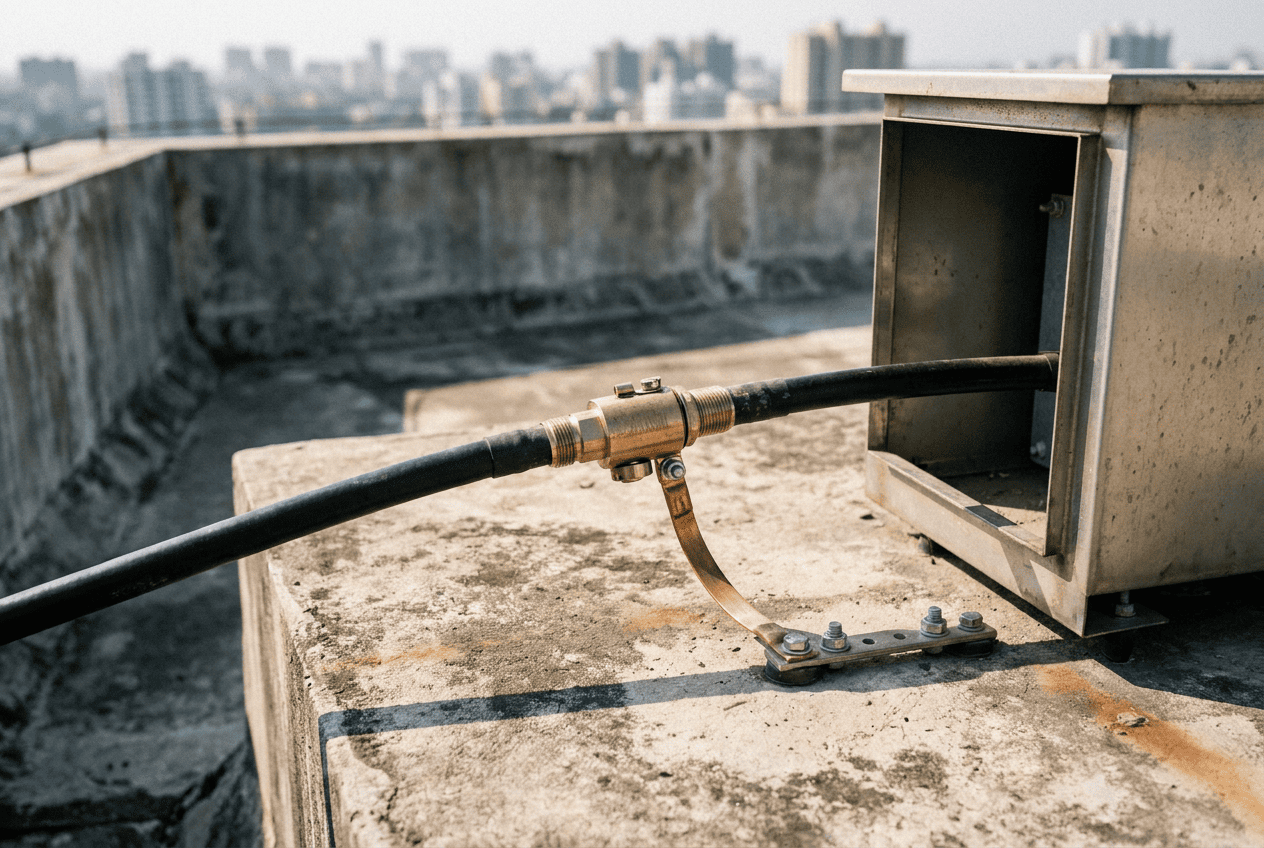
Many sites get this half right. The power board has a good surge protector. The earthing looks tidy. Then a storm rolls through, and the radio or the link goes dead anyway.
The reason is simple. The surge did not come through the power door. It came down the antenna cable. This guide explains the two-door rule, the difference between a power SPD and a coaxial SPD, what to check before you buy, and whether both need the same earth.
The Two-Door Rule
Think of your equipment as a room with two doors.
- Door 1 is the power line. Mains or DC supply, coming into the board or the panel.
- Door 2 is the RF line. The coaxial cable that runs from the antenna to the radio, the base station or the link.
A surge looks for any open door. If you lock Door 1 and leave Door 2 open, the surge walks in through Door 2. Your power protector never sees it, because the surge never travelled on the power wires.
This is the common miss on tower, ISP and camera sites: power clamped, RF bare.
Power SPD vs Coaxial SPD: What Is the Difference?
Both are surge protective devices (SPDs). They do the same basic job, which is to divert a surge to earth before it reaches your equipment. But they are built for different lines.
One more difference matters in practice. A coaxial protector sits in the signal path, so it must pass the signal cleanly. A power protector does not have that job. That is why you cannot use one in place of the other.
How a Surge Gets In Through the Coaxial Line
A tall mast, a rooftop antenna or a pole-mounted radio is often the highest point around. When lightning strikes nearby, or even far away, the antenna and its cable can pick up a large surge. The cable's metal shield and centre conductor carry it down to the equipment port.
By then it is at the radio's front door. Sensitive parts such as transceivers and amplifiers can fail in milliseconds. Sometimes the damage is slow, and shows up as noise, weak signal or faults that come and go.
For the 5G and frequency side of this problem, read our guide on 5G tower lightning risk and coaxial line protection.
What to Check Before You Buy a Coaxial Surge Protector
A good RF line protection device needs two things at once: strong surge handling and a clean signal path. Use this checklist.
- Frequency range. It must cover the bands your link uses. Rasnal lists options of DC–3.5 GHz, DC–7 GHz and 2.5 GHz.
- Impedance. 50 ohms is standard for most antenna feeders. A mismatch causes reflections.
- Insertion loss. Low loss keeps your signal strong. Rasnal's unit is under 0.5 dB.
- Power handling. It must carry your transmit power. Rasnal lists a maximum power of 190 W.
- Surge rating. Look at the discharge current. Rasnal lists 20 kA (8/20 µs).
- DC pass. Some antenna systems send power to active parts over the same cable. The protector must pass DC.
- Replaceable protection element. After a big surge, a removable part keeps repairs simple.
- Outdoor build. IP66 and a wide temperature range matter for exposed sites.
A gas discharge tube (GDT) is a small sealed tube that stays out of the way during normal operation, then conducts the surge to earth in a flash. It adds very little capacitance, which is why it suits RF lines.
Always check the latest datasheet on the product page before you order.
Where to Install It
Install a protector at both ends of the coaxial run: at the antenna end, and where the cable enters the equipment room, shelter or cabinet. The first unit takes the main hit. The second catches what gets through.
For a camera or link on a pole, the same idea applies. Put the protector on the antenna cable close to the radio, and keep the earth lead short.
Do Power and Coaxial Protectors Need the Same Earth?
This is the question that follows naturally. The answer: they need to share one bonded earth system.
They do not have to sit on a single physical earth pit. But every earth at the site should be tied together, a practice called equipotential bonding.
Here is why. During a strike, the ground voltage jumps. If the power protector and the coaxial protector connect to two separate earths that are not tied together, the two earths can sit at different voltages. That difference can appear across your equipment, between its power port and its RF port. The surge you tried to divert ends up inside anyway.
A few practical points:
- Use one common earth reference, such as a main earth bar, for all protectors at a site.
- Keep the earth leads short and straight.
- At a tower, tie the mast, the shelter earth and the equipment earth together.
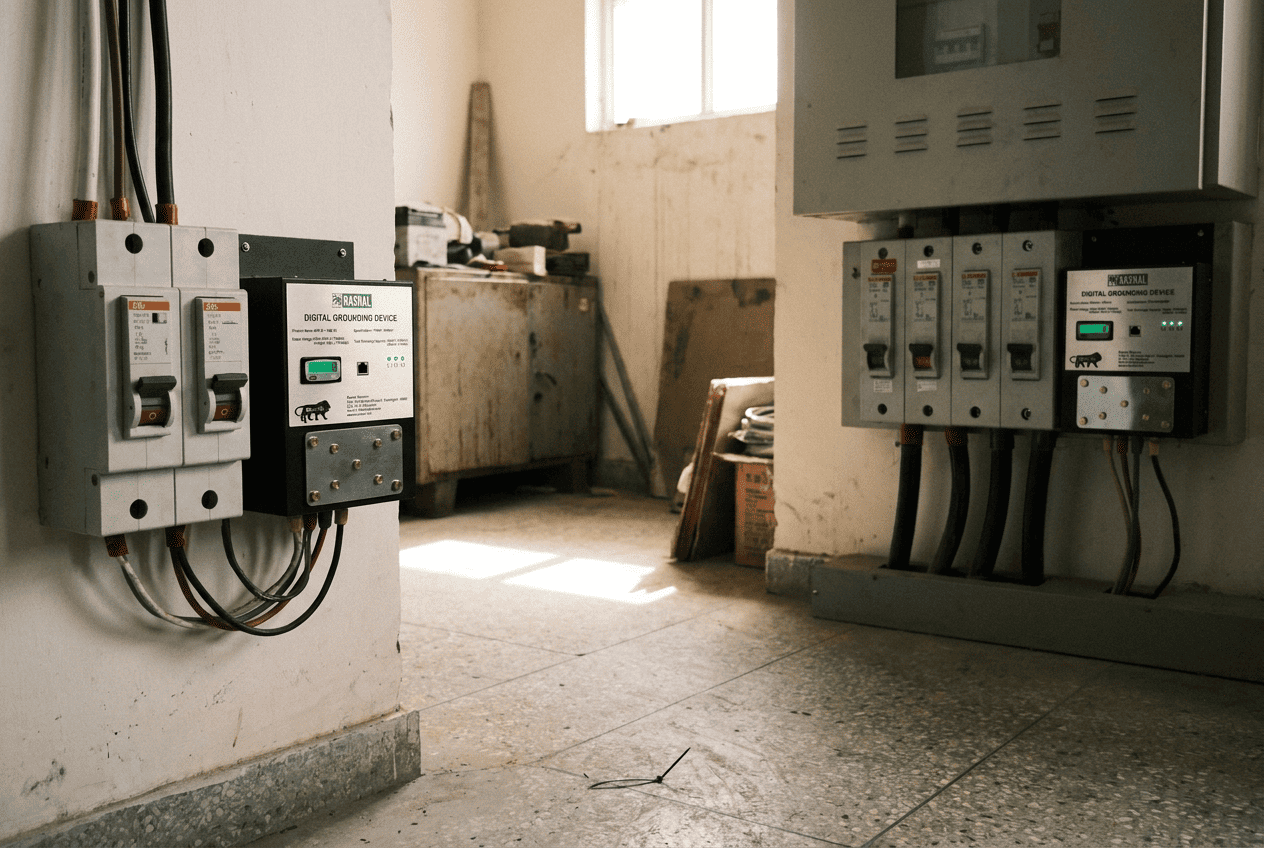
This is where digital earthing helps. Rasnal's VKP digital grounding devices are built for low impedance, equipotential grounding at the board. The VKP-1-AC suits single phase boards, and the VKP-03-AC suits three phase boards. Paired with a coaxial protector on the RF line, they close both doors on a common earth. Ask Rasnal's team how the coaxial protector should be bonded at your site.
Other Doors to Check
The two-door rule is a starting point. Some sites have more doors:
- Ethernet and PoE cables. A camera or radio fed over a network cable has its own surge path. Use an RJ-45 surge protector for PoE.
- DC feeds. Remote sites running on solar or battery have DC lines to protect.
- Video coax on cameras. Rasnal's coaxial surge protector is a 50 ohm RF unit. If your camera runs on 75 ohm video coax, ask Rasnal which unit fits.
A complete lightning protection solution covers every line that enters or leaves your equipment, and ties them to one earth. Rasnal's lightning protection page shows the wider range.
Who Needs Both Doors Closed
Businesses and infrastructure teams:
- Telecom tower operators and ISPs. Antenna feeders on masts, rooftops and wireless backhaul links. Good surge protection for telecom starts here. See Rasnal's telecom solutions.
- Data centre and IT managers. Rooftop antennas, GPS or timing antennas and wireless links. Read our guide on data centre earthing and surge protection in India.
- Manufacturing and plant heads. Outdoor wireless links, Wi-Fi access points and remote antennas across a large site.
- Facility managers (hospitals, airports). Rooftop antennas and radio systems that must stay up.
- Developers, EPC contractors and system integrators. Rooftop telecom and antenna installations where a miss means a callback and a penalty.
Homeowners, shops and electricians:
- Property owners with outdoor Wi-Fi, 4G or 5G antennas on the roof.
- Small business owners with P2P links for CCTV or branch connectivity.
- Residents in high-surge areas, where monsoon storms regularly damage electronics. Our article on lightning and grid disturbances explains why.
- Electricians and local contractors who fit antennas and links and want to avoid failed callbacks after storms.
How to Choose and Order the Right Protector
- List every antenna line at your site. Note which radio, link or camera each one feeds.
- Note the frequency band for each. This decides between the DC–3.5 GHz, DC–7 GHz and 2.5 GHz options.
- Check the details that matter. Connector type, transmit power and whether the cable also carries DC.
- Check the power door too. Is there a surge protector or digital earthing device on the supply board?
- Share your details with Rasnal. Use the contact page or the query form on the product page, with a photo of the site and the cable run.
- Get a recommendation. Rasnal will confirm the right variant and quantity.
- Install at both ends and bond to the common earth.
A power surge protector is not wrong. It is just half a job. The coaxial line is a second door, and a surge will use it if it is open. Close both doors, keep the signal clean, and tie everything to one earth.
Not sure what your site is missing? Talk to Rasnal's team and send a photo of your antenna and board. You can also read the full details on the coaxial surge protector page.
FAQs
Q1. Is a power surge protector enough for a tower or camera site?
No. A power surge protector only protects the power line. A surge can also arrive through the coaxial (RF) cable from the antenna and reach your radio or equipment without ever touching the power line. You need a coaxial surge protector on the RF line as well.
Q2. What is the difference between a power SPD and a coaxial SPD?
A power SPD protects the supply line and is rated by voltage and surge current. A coaxial SPD sits in line on the RF cable and is rated by frequency range, impedance and power handling. A coaxial SPD must also pass the signal cleanly, so one cannot replace the other.
Q3. Do power and coaxial protectors need the same earth?
They need to share one bonded earth system. They do not have to use the same physical pit, but all earths at the site should be tied together (equipotential bonding), so no voltage difference builds up between the power and RF paths during a surge.
Q4. Where should I install a coaxial surge protector?
At both ends of the coaxial run: at the antenna end, and where the cable enters the equipment room, shelter or cabinet. The first protector takes the main surge, and the second catches what gets through.
Q5. Will a coaxial surge protector weaken my signal?
A well-made one adds very little loss. Rasnal's Coaxial Surge Protector lists an insertion loss under 0.5 dB and a VSWR under 1.3:1. Choose a unit rated for your frequency band, such as DC–3.5 GHz or DC–7 GHz.
Explore Categories
.webp)
Digital Grounding devices
Industrial & Network Solutions
Solar & Smart Energy
Fire Safety Systems
Surge Protection
CCTV & Security
Solar Energy